CottonOS: Three Years of Building an Operating System
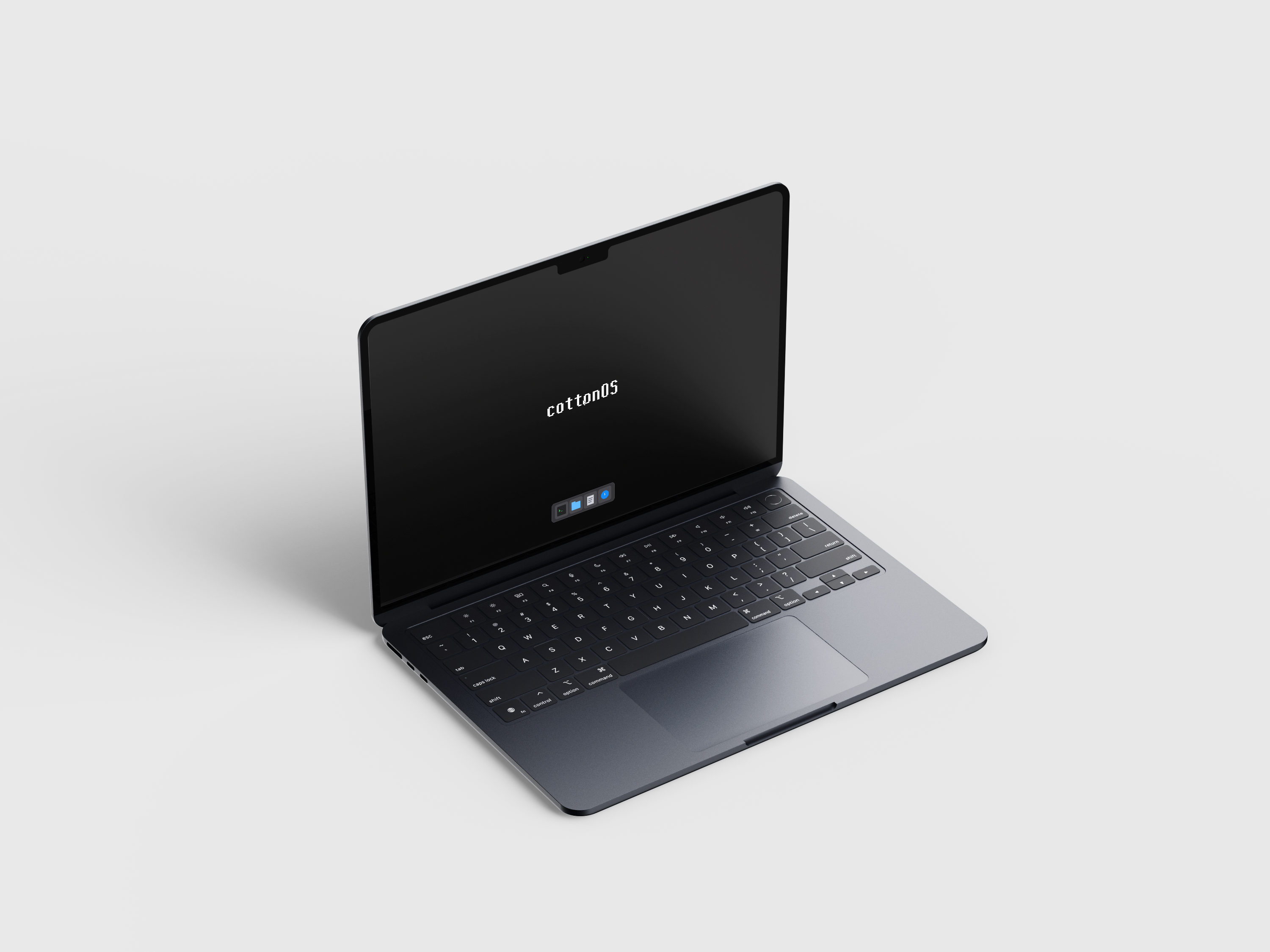 I started working on CottonOS back in 2023 when I was in first year. The idea had been in my head for a while – what if I could build my own operating system? Not just understand how they work, but actually create one from scratch.
Three years later, here we are. CottonOS boots, runs a graphical desktop, has its own filesystem, manages memory and processes, and includes working applications. It's still a hobby project but it's real and it works.
Why Cotton?
The name comes from cotton fabric. I'm Indian and cotton has always been significant in our history and culture. But beyond that, cotton fabric has qualities I wanted the OS to embody – lightweight, strong, secure, trustable.
Cotton fabric is light but durable. Strong enough to last but not heavy. That's what I wanted from the OS. Fast and efficient without bloat. Secure and reliable without unnecessary complexity.
The name stuck and became part of the identity. CottonOS, CottonFS for the filesystem, everything tied to that core concept.
The Journey Since 2023
Starting this project in first year meant I didn't know what I was doing. Had to learn x86_64 architecture, assembly, how CPUs boot, memory management, interrupt handling, all of it from scratch.
Read OS development wikis. Studied existing kernels. Wrote code, broke things, debugged, rewrote. The cycle repeated constantly. Sometimes spent weeks on a single feature. Sometimes a bug would take days to track down.
But slowly the pieces came together. First got the kernel to boot. Then basic memory allocation. Then interrupts working. Then a simple shell. Each milestone felt like progress.
Using Rust instead of C made some things harder but many things easier. Memory safety without garbage collection meant fewer crashes from stupid pointer mistakes. The type system caught bugs at compile time. Zero-cost abstractions delivered performance.
The learning curve was steep but worth it. By the time I had a working kernel with basic features, I understood operating systems in a way textbooks never taught.
The Desktop Environment
CottonOS boots into a graphical desktop. This wasn't the original plan – started with just a text console. But as the project evolved, a GUI became the next challenge.
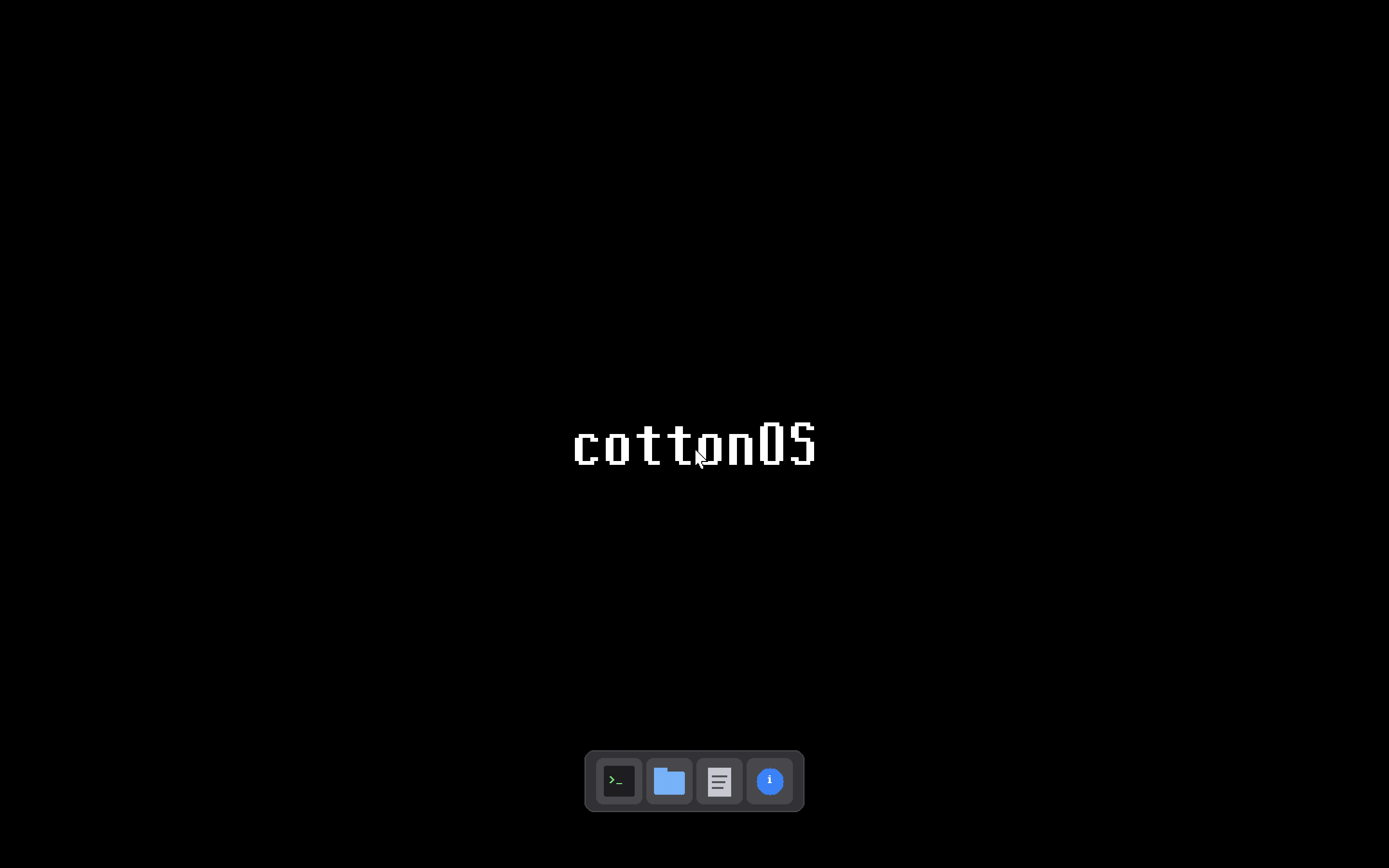
The desktop has a taskbar at the bottom with application launchers. Click an icon, window opens. Drag the title bar, window moves. Click to close. Basic window management but all built from scratch.
No GUI framework, no widget library. Direct framebuffer rendering. Every pixel drawn intentionally. Every mouse event handled manually. Every keyboard input routed through custom code.
The window manager tracks focus, handles z-order, routes input events. Windows can be dragged around. The focused window gets keyboard input. All the interaction patterns you expect from a desktop OS.
Applications
Built four applications into the desktop environment. Each demonstrates different aspects of what the OS can do.
Terminal Emulator
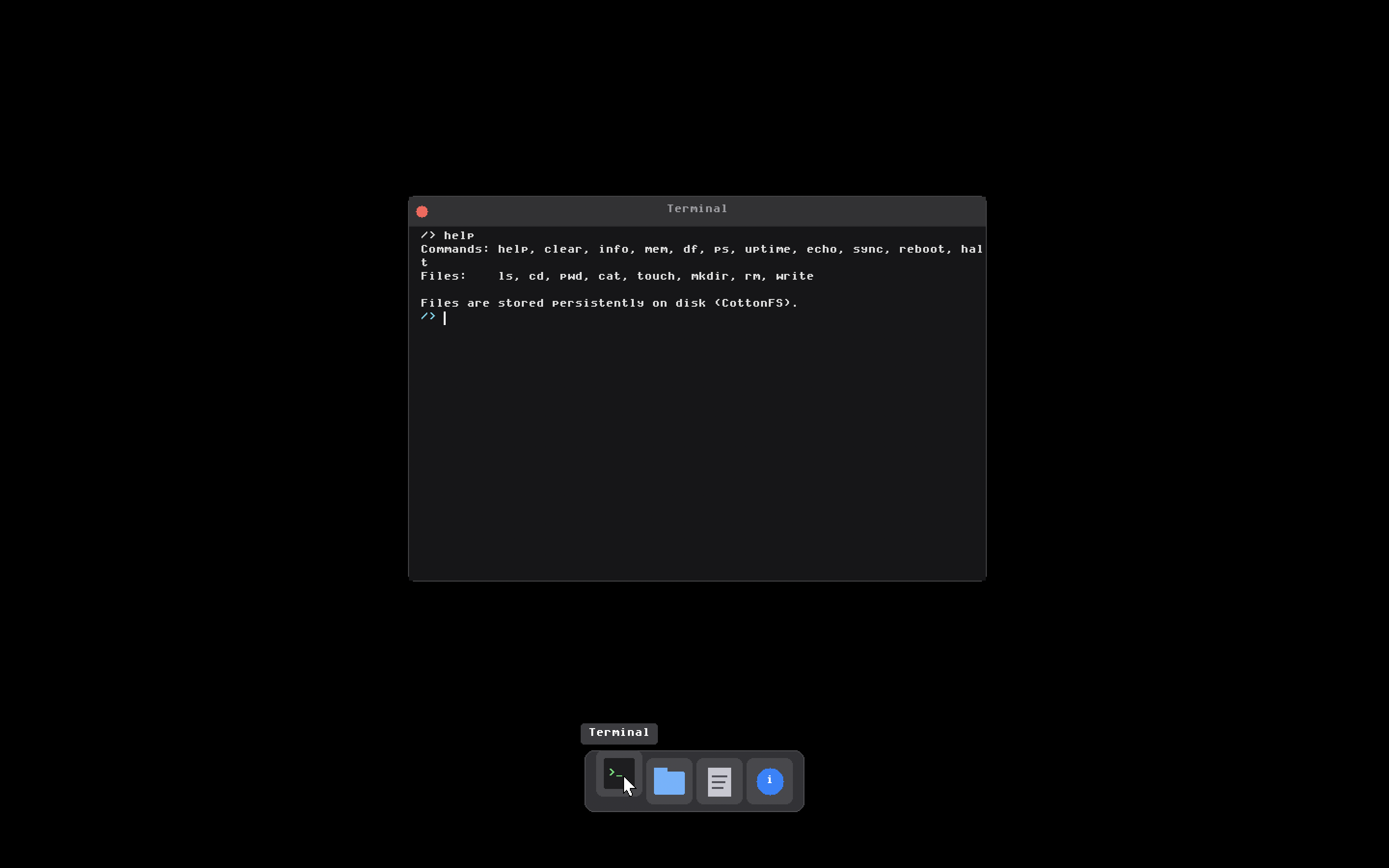
A working terminal that runs inside a window. Command input, scrollable output, full shell functionality. Supports filesystem commands like ls, cd, pwd, cat, touch, mkdir, rm. System info commands like mem, df, ps, uptime. All the basic Unix-style utilities.
The terminal maintains a working directory and handles path resolution. Type commands, see output, navigate the filesystem. Simple but functional.
File Manager
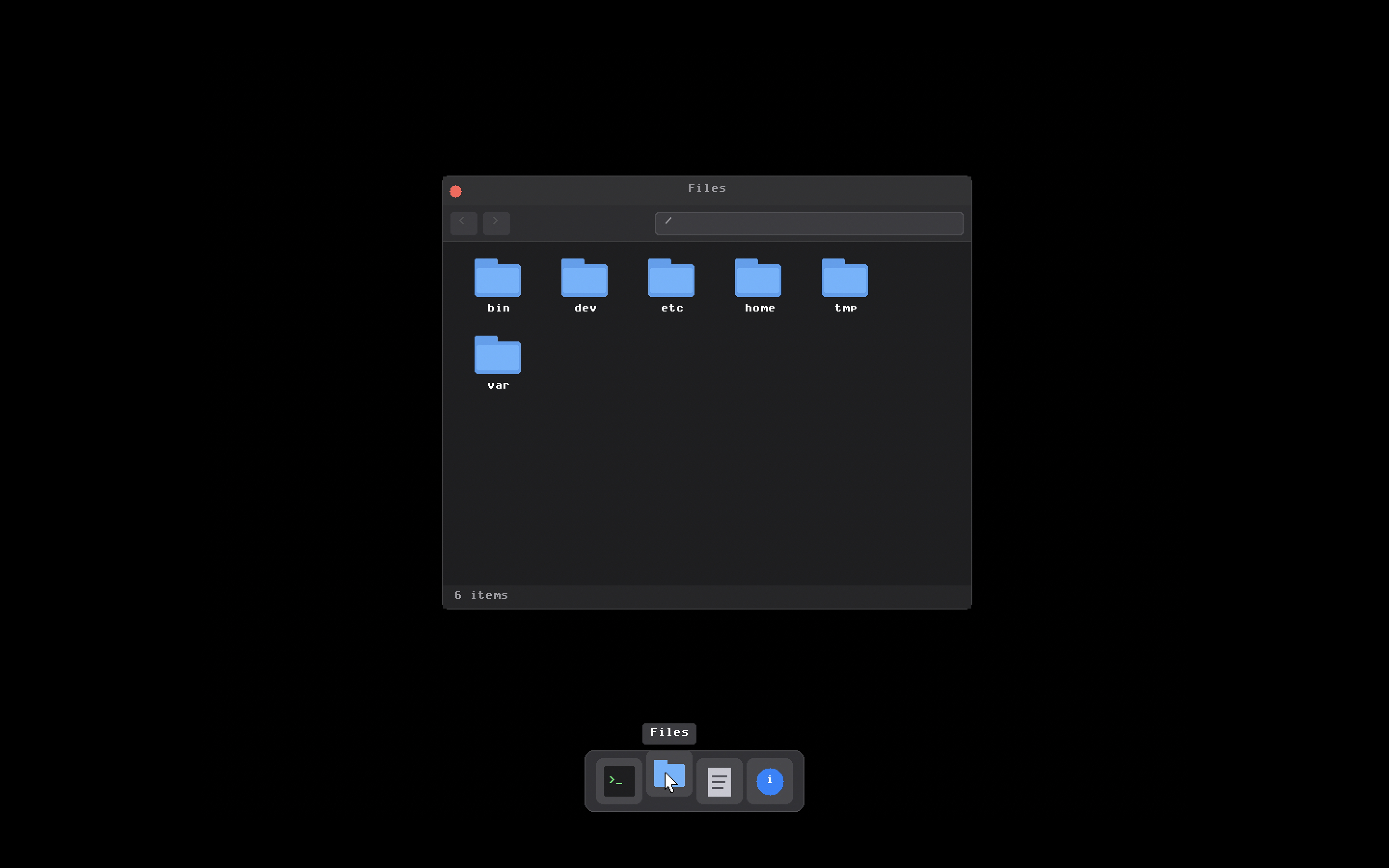
Graphical file browser for the CottonFS filesystem. Shows current path, back button, file and folder listings with icons. Double-click directories to navigate. File sizes displayed. Scrolling for large directories.
Makes filesystem navigation visual instead of requiring terminal commands. Basic functionality but it works.
Text Editor
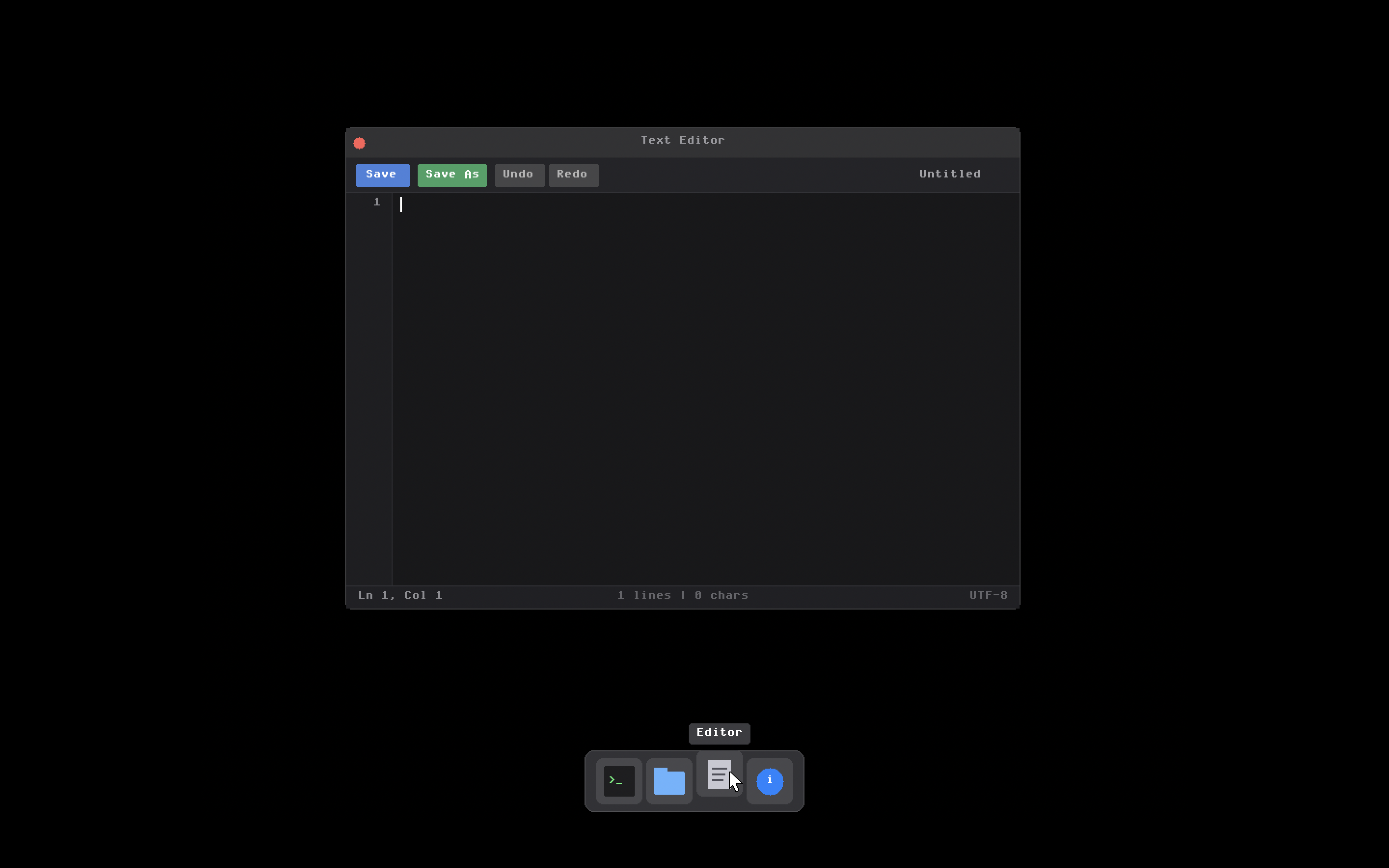
Multi-line text editor with cursor positioning, keyboard navigation, undo/redo, file operations. Arrow keys move the cursor. Home and End jump to line boundaries. Page Up and Down scroll.
Open files from the filesystem, edit them, save changes. Modified indicator tracks unsaved changes. Line numbers for code editing. All built without any text editing library.
System Information
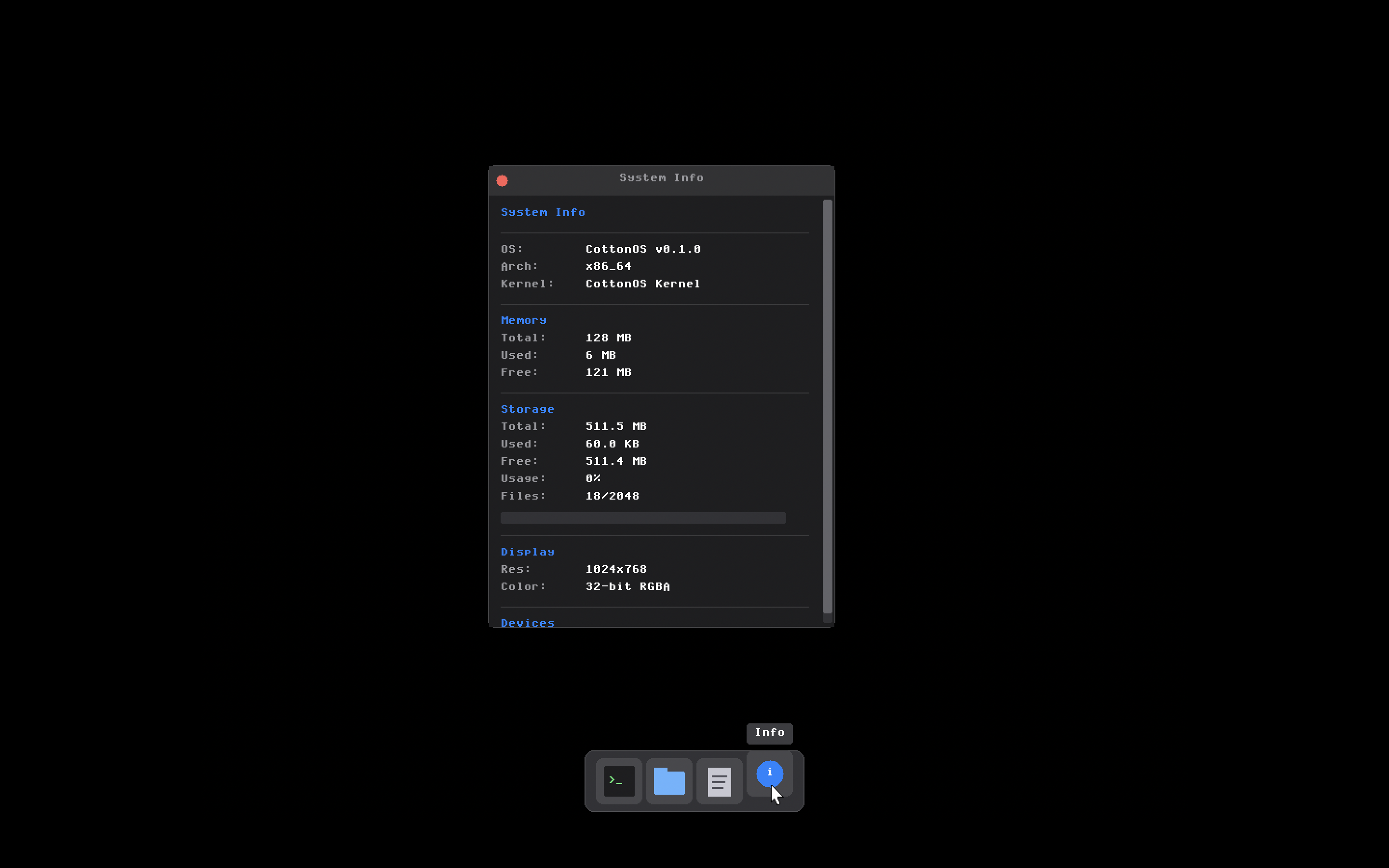
Real-time kernel statistics. Memory usage, filesystem info, process count, uptime. Shows what's happening inside the OS while it runs.
CottonFS: The Filesystem
Built a custom filesystem instead of implementing ext2 or FAT. Wanted to understand how filesystems actually work by building one.
CottonFS organizes disk into fixed-size blocks. Superblock contains filesystem metadata. Inode bitmap tracks allocated inodes. Data block bitmap tracks allocated blocks. Inode table stores file metadata. Data blocks contain actual file content.
Each file or directory gets an inode with metadata like size, timestamps, permissions, block pointers. Inodes use direct and indirect block pointers to reference data.
Directories are files containing directory entries. Each entry has an inode number and filename. Reading a directory means parsing these entries.
The VFS (Virtual Filesystem) layer abstracts filesystem operations. Traits define interfaces that any filesystem must implement. CottonFS implements these traits. So does DevFS for virtual files like /dev/null.
This abstraction means the rest of the kernel doesn't care about filesystem implementation details. Just calls VFS methods and the filesystem handles it.
Memory Management
Memory management is critical in an OS. Tracking physical RAM, managing virtual address spaces, providing heap allocation. Get it wrong and everything breaks.
Physical memory uses a bitmap allocator. Each bit represents a 4KB frame. Set means allocated, clear means free. Parse the boot memory map, initialize the bitmap, allocate and free frames as needed.
Virtual memory uses x86_64's 4-level paging. PML4, PDPT, PD, PT tables cascading down. Each page is 4KB. Virtual addresses map to physical addresses through these tables.
The kernel heap enables dynamic allocation. Rust's alloc crate requires a global allocator. Using linked_list_allocator provides this. Heap starts at 4MB, expandable to 16MB. Enables using Box, Vec, String, all the standard collections.
Process Management
Process subsystem handles creating processes, scheduling execution, managing state transitions, cleanup on exit.
Each process has a Process Control Block with PID, parent PID, name, state, priority, exit status. Process states include Ready, Running, Blocked, Zombie.
The scheduler uses round-robin with priority levels. Timer interrupts trigger preemption at 1000Hz. Every millisecond the scheduler runs and potentially switches processes.
System calls provide the interface between processes and kernel. Over 40 syscalls implemented for process control, file operations, filesystem operations, memory management, system queries.
Device Drivers
Hardware communication requires device drivers. Built drivers for graphics, keyboard, mouse, and storage.
Graphics driver uses the framebuffer GRUB provides. Drawing primitives like set pixel, fill rectangle, draw character, draw string. Double buffering prevents flicker. 8x16 bitmap font for text rendering.
Keyboard driver reads PS/2 scancodes, translates to keycodes, tracks modifiers. Events go into a buffer for applications to consume.
Mouse driver handles PS/2 mouse packets. Button states, movement deltas, scroll wheel. Coordinates tracked with screen bounds clamping.
ATA storage driver provides disk access. PIO mode, LBA28 and LBA48 addressing. Sector reads and writes for the filesystem to use.
Boot Process
GRUB loads the kernel and provides boot information. The boot stub sets up the initial environment in assembly – stack, GDT, page tables, long mode, jump to Rust.
Once in Rust code, initialization continues. Serial port for debug output, parse boot info, extract framebuffer details, initialize architecture code, memory management, filesystem, process management, device drivers.
Then the OS is ready. Launch the GUI or drop to debug shell depending on configuration.
What This Taught Me
Building CottonOS over three years taught me how operating systems actually work. Not theory from textbooks but practical understanding from implementation.
Memory management makes sense now. Physical vs virtual memory, page tables, heap allocation – all concrete concepts I implemented.
Interrupt handling is clear. IDT, interrupt handlers, EOI signals, PIC configuration. Built the whole interrupt system from scratch.
Filesystems are logical. Inodes, block allocation, directories, VFS abstraction. Designed and implemented the entire thing.
Device drivers demystified hardware. Port I/O, memory-mapped I/O, device registers, interrupt-driven I/O. Wrote drivers for actual hardware.
Rust proved excellent for systems programming. Memory safety without garbage collection. Type system catching bugs. Zero-cost abstractions. Better than C for this work.
Current State
CottonOS boots, runs a graphical desktop, supports applications, has a working filesystem, handles input devices, manages memory and processes. For a project I started in first year, that's real progress.
There's more to build. Proper userspace separation with ring 3 execution. Network stack with TCP/IP. More applications. Better scheduling. Filesystem improvements. Performance optimization.
But what exists now works. It's a real operating system that boots on real hardware (or QEMU). Three years of work resulted in something tangible.
Why I Built This
I've always wanted to understand how computers work at the deepest level. Operating systems sit between hardware and applications. They're fundamental to everything we do with computers.
Reading about operating systems is one thing. Building one is completely different. You understand the problems, the tradeoffs, the implementation challenges. Theory becomes practice.
CottonOS proved I could build complex systems from scratch. Started knowing almost nothing about OS development. Three years later I have a working kernel with real features.
The name Cotton represents what I wanted to achieve. Lightweight, strong, secure, trustable. Like cotton fabric that's lasted through history because it works.
Check out the code on GitHub at github.com/aryansrao/CottonOS. Read through it, try building it, see how an OS comes together from nothing.
This project isn't done. Operating systems are never done. But what exists now is something I'm proud of. Three years of learning, building, debugging, and growing as a developer.